Name the problem before naming the system
If your problem is a missing view of quantities and purchase needs, start by documenting the stock records you require. If staff know the quantity but cannot find it, distinguish reserved goods or complete a reliable pick, warehouse task control deserves closer attention.
Avoid buying advanced modules to solve a basic item-master problem. Duplicate codes, mixed units and undocumented adjustments will still need cleanup. A new interface will not decide which records represent the same physical product.
Walk through one order
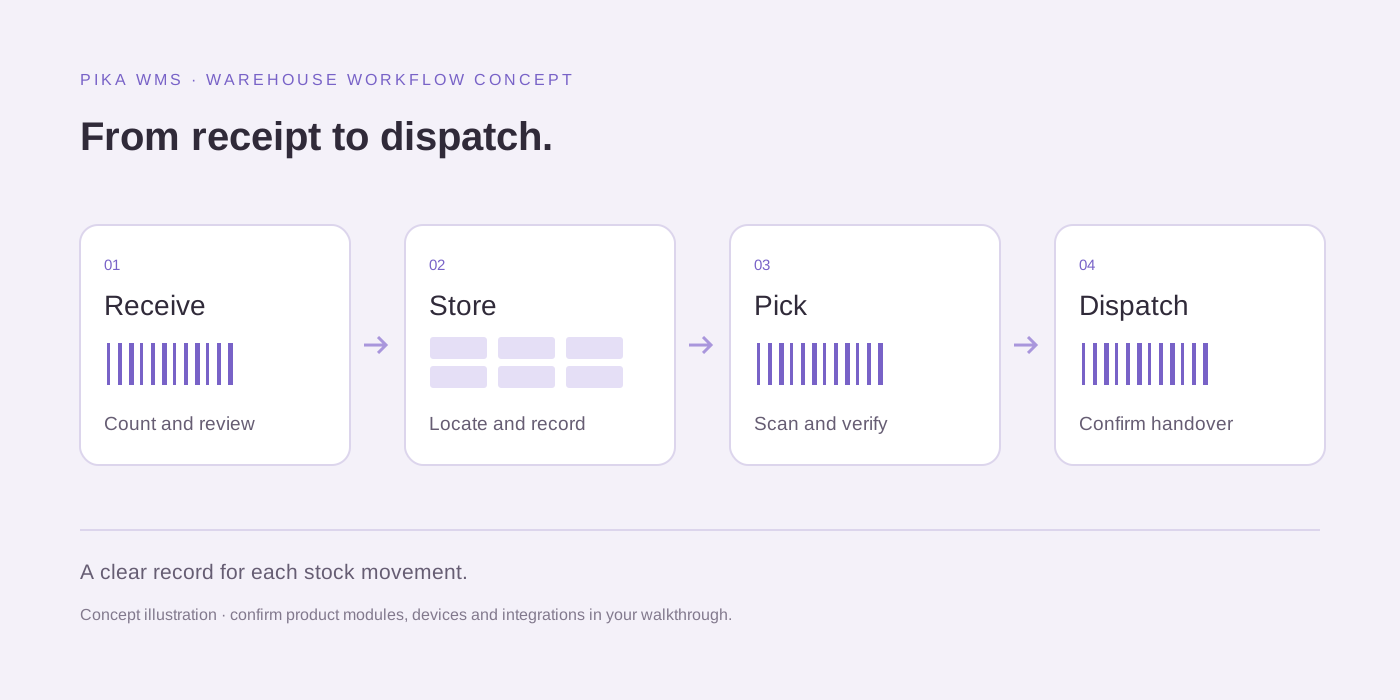
Follow a customer order from availability check through allocation, picking, packing and dispatch. Write down each point where a person needs to know the item, location, quantity and next action. Check whether your current system records that action or only updates a final stock total.
Test partial fulfilment and cancellation as well. A useful system should make the outstanding quantity and stock status understandable. The operator should not have to create a private spreadsheet to reconstruct what happened.
Keep accounting ownership clear
Warehouse movements and financial postings are related but have different responsibilities. Decide where the approved item record originates, which system owns available quantity and how rejected messages are reconciled. Treat integration as a controlled handover between systems.
A store integration also needs a rule for reserved, damaged and returned goods. Sending every quantity to an online store as sellable stock can create a misleading promise. Confirm the business rule before mapping fields.
Choose a proportionate first release
For a small stock room, a focused inventory workflow may be sufficient. For a multi-bin, multi-shift operation, a WMS evaluation can test receiving control, directed tasks and traceability. For a multi-client 3PL, include stock ownership and client permissions in the evaluation.
Pika WMS can be discussed against these requirements. Ask the team to demonstrate the current product and explicitly record any gap. Do not assume that every advertised WMS category includes identical functions.
Useful questions
Can I use this checklist to evaluate Pika WMS?
Yes. Use the same requirements and acceptance scenarios for Pika WMS and other shortlisted systems. Confirm available functions, deployment, pricing and support directly with the supplier.
Do you offer warehouse software discussions for Johannesburg, Kempton Park and Cape Town?
Yes. Contact PCube for a remote Pika WMS walkthrough and requirements discussion for these service areas and elsewhere in South Africa. No local office or on-site support entitlement is implied.
Sources and further reading
Reuse and attribution
Reuse the original blank PCube evaluation checklist under CC BY 4.0 with attribution and a note of changes. Third-party documentation, product names and linked provider content are excluded.
Suggested citation: PCube Innovations editorial. “WMS vs inventory management software: which does your warehouse need?”. Updated 17 October 2026. https://pcubesolution.com/blog/wms-vs-inventory-management-software.